For freelancers, consultants, and small businesses, invoicing is one of those 'must-do' tasks that often becomes painful. Invoices are made in Word/Excel templates that break formatting, calculations are manual and error-prone, client details are scattered across emails and notes, and exporting a clean, print-ready PDF takes extra effort. I wanted to build something simple but powerful: a modern, polished invoicing tool that feels fast, looks professional, and keeps everything organized—without needing heavy accounting software. That's how InvoiceFlow was created.
Related service: Custom Software Solutions
Screenshots

View Demo
The Problem
For freelancers, consultants, and small businesses, invoicing is one of those 'must-do' tasks that often becomes painful.
Invoices are made in Word/Excel templates that break formatting, calculations are manual and error-prone, client details are scattered across emails and notes, exporting a clean, print-ready PDF takes extra effort, and tracking invoice status (draft/sent/paid/overdue) becomes messy fast.
- Invoices are made in Word/Excel templates that break formatting
- Calculations are manual and error-prone
- Client details are scattered across emails and notes
- Exporting a clean, print-ready PDF takes extra effort
- Tracking invoice status (draft/sent/paid/overdue) becomes messy fast
- No centralized system to manage invoices and customers
The Vision
InvoiceFlow was designed as a complete invoice management system, not just an invoice generator. The goals were to make invoice creation feel instant, give users a live preview as they edit, save customers and invoices in one secure place, produce high-quality PDFs with one click, and support real-world needs like currencies, taxes, templates, watermarks, and signatures.
What InvoiceFlow Does
InvoiceFlow helps users create professional invoices using a guided, multi-step builder, save and reuse customer/client information, track invoice statuses like draft, sent, paid, overdue, view revenue and performance through dashboard analytics, export print-ready invoices as high-quality A4 PDFs, customize invoices with templates, branding, signatures, and watermarks, and use multi-currency support for international clients.
It's built to work like a real product—not a one-page demo.
- Create professional invoices using a guided, multi-step builder
- Save and reuse customer/client information
- Track invoice statuses like draft, sent, paid, overdue
- View revenue and performance through dashboard analytics
- Export print-ready invoices as high-quality A4 PDFs
- Customize invoices with templates, branding, signatures, and watermarks
- Use multi-currency support for international clients
The 'Real User' Experience
InvoiceFlow provides a complete invoicing workflow that feels natural and professional.
- Login & Personal Workspace: Users sign in securely and instantly get their own private workspace. Their invoices and customers are isolated to their account.
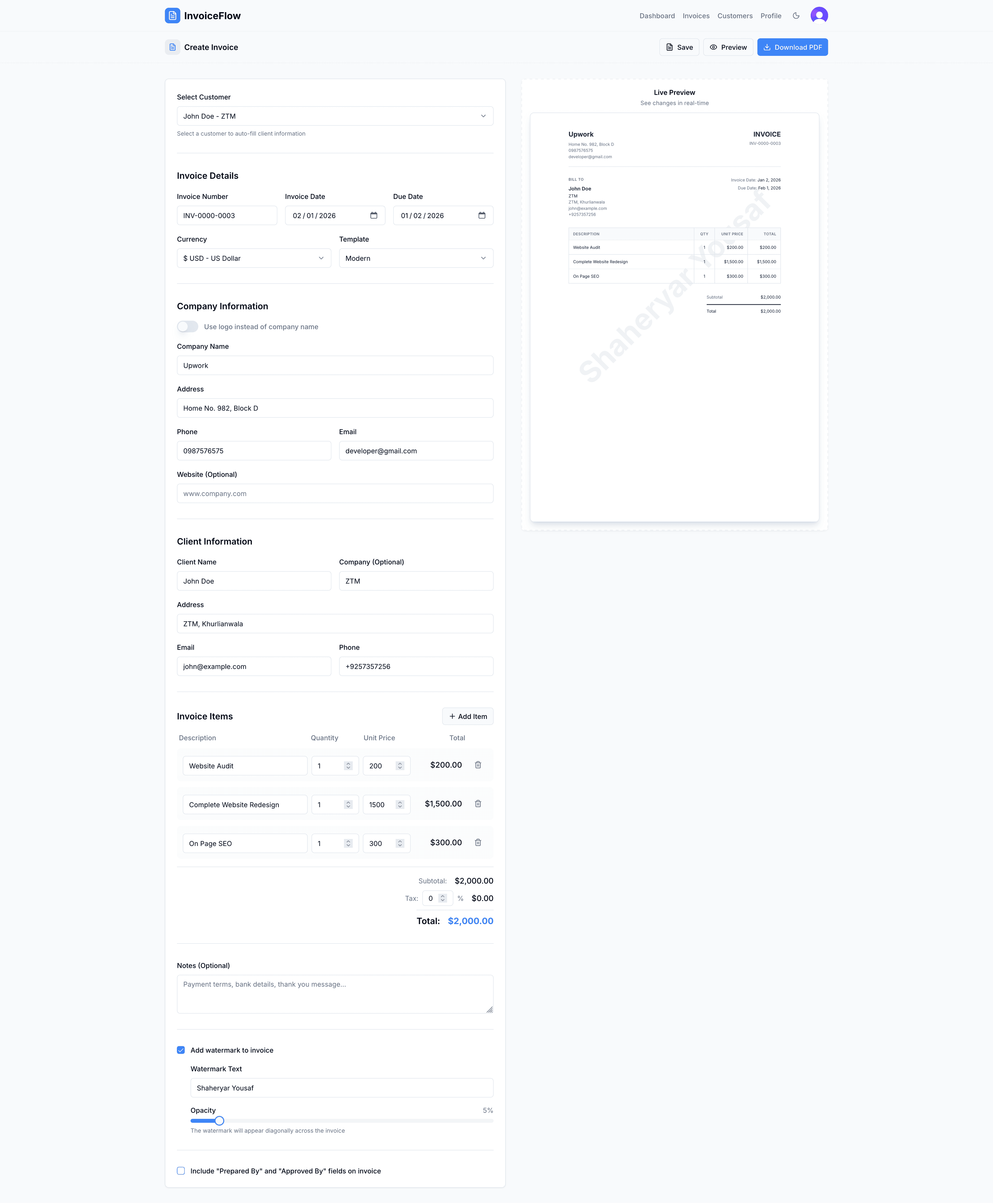
- Create an Invoice in Minutes: The invoice creation flow is streamlined with company info (auto-filled from profile), client info (select from saved customers or type manually), line items with automatic totals and tax calculation, notes/payment terms, and choose a professional template. The best part: the invoice preview updates live while typing.
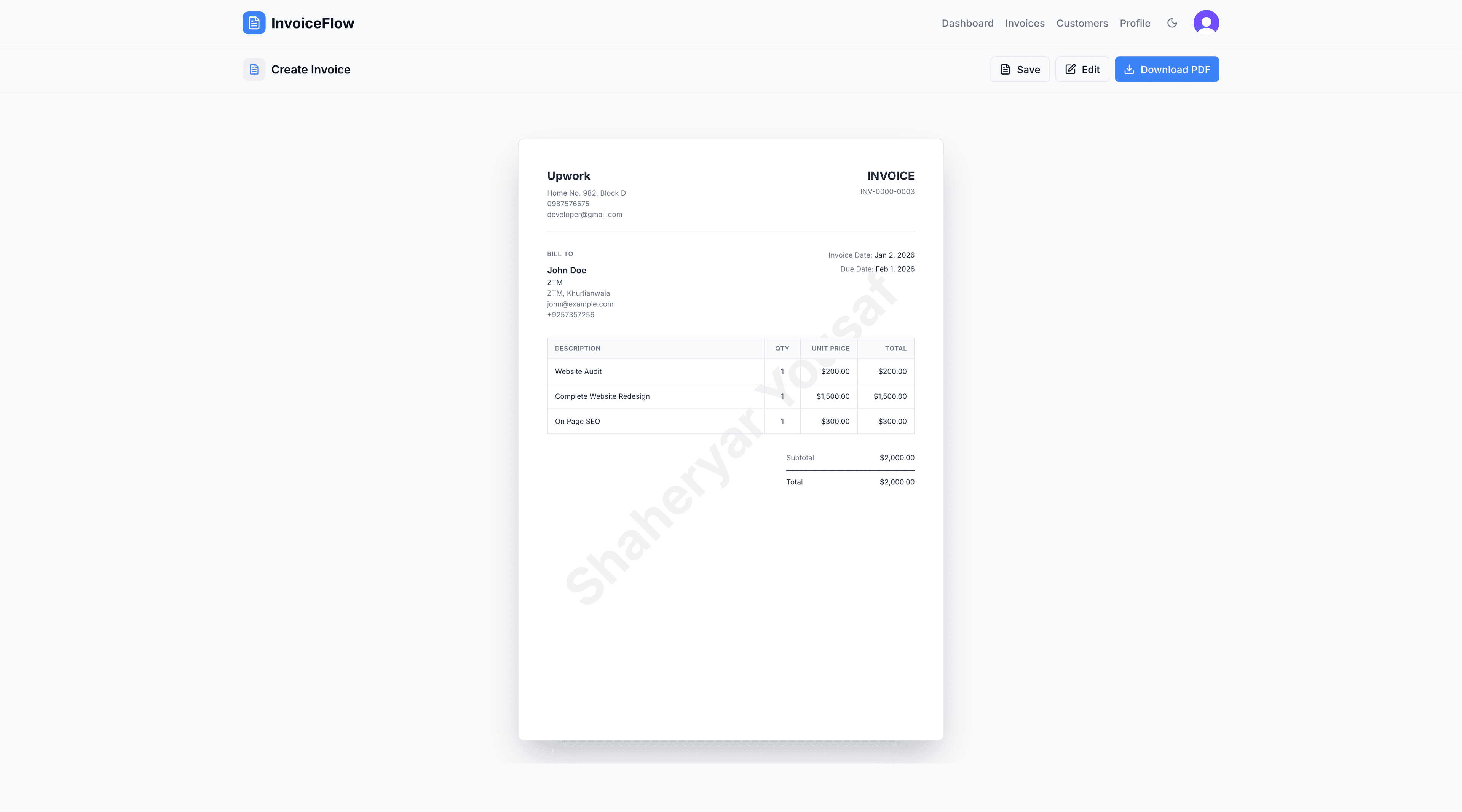
- Export to PDF with One Click: When the user clicks 'Download PDF,' InvoiceFlow generates a clean A4 PDF that's ready to send or print—no formatting headaches.
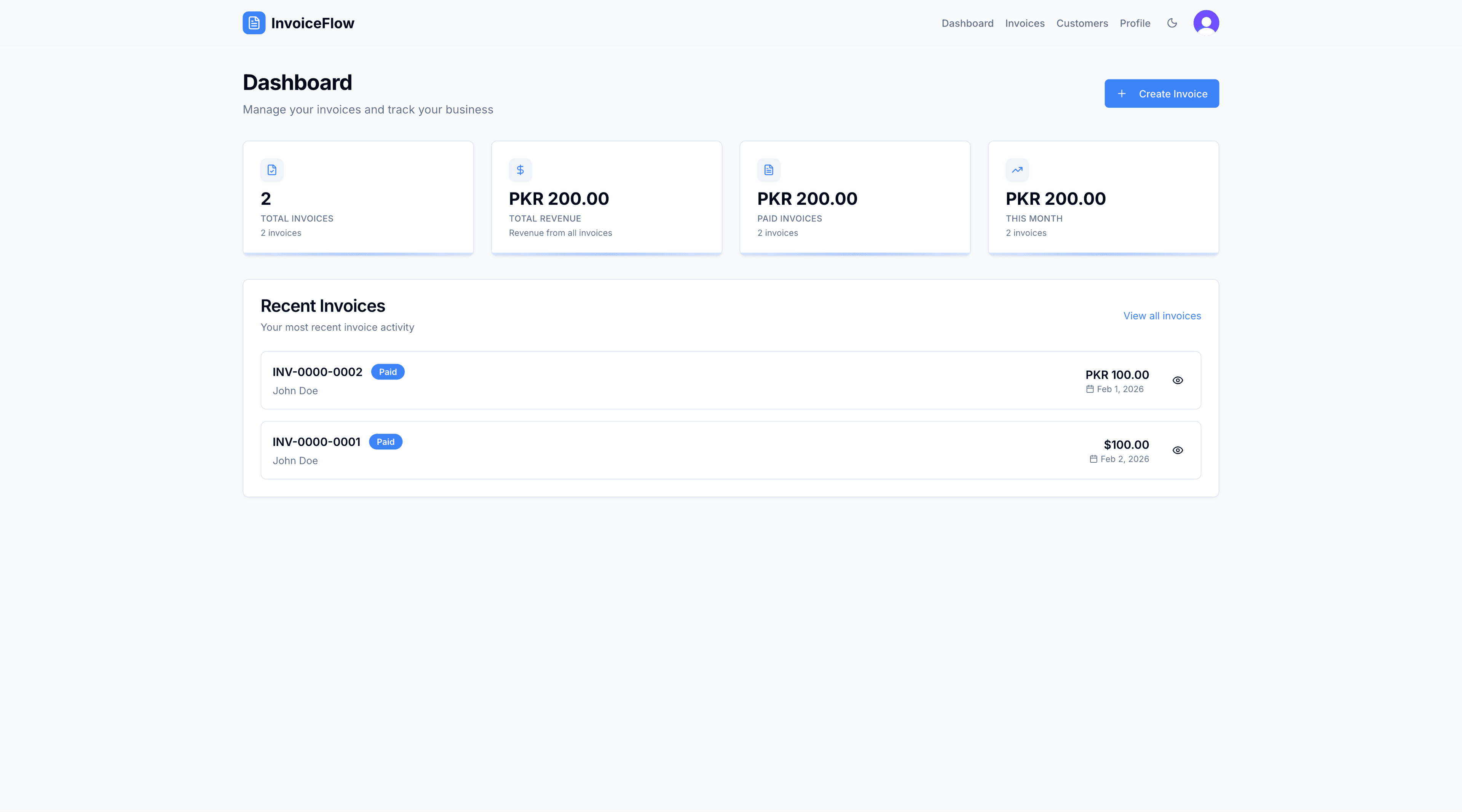
- Track Everything: Invoices don't just get created—they get managed with a searchable list, filters, status updates, and an analytics dashboard for totals and revenue.
Key Features That Make It Stand Out
InvoiceFlow includes features designed to make invoicing effortless and professional.
- Live Preview Invoice Builder: Users see exactly how the invoice will look as they edit—reducing mistakes and making customization feel effortless.
- Customer Management (Built In): Instead of retyping details every time, users store customers once and reuse them with quick selection and auto-fill.
- Templates + Branding: Users can choose from Modern, Classic, and Minimal templates, plus branding options like company logo, signatures, customizable watermark ('DRAFT', etc.), and payment notes / bank details.
- Multi-Currency Support (11+): Designed for real-world invoicing with international clients (including PKR support).
- PDF Export That Looks Professional: High-quality PDF generation optimized for A4 sizing, scaling, and print-ready formatting.
- Dashboard & Analytics: Users can quickly track total invoices, total revenue, paid vs unpaid, monthly stats, and recent invoice activity.
How It Works (Simple + Technical Balance)
InvoiceFlow is built on a modern full-stack approach that balances simplicity with powerful functionality.
- The UI is built in Next.js + React, making the app fast and responsive
- Backend logic runs through Next.js API routes, keeping everything in one codebase
- Authentication is handled by Clerk, giving secure sessions and user isolation
- Data is stored in PostgreSQL via Supabase, designed for scalability
- PDF export uses html2canvas + jsPDF to generate high-quality downloads from the invoice preview
- Every user action is validated, saved, and reflected in the UI with clear feedback
My Role
I built InvoiceFlow end-to-end, including product design, invoice creation and preview logic, customer management, secure API routes, database schema design, PDF export implementation, status tracking and analytics, and mobile responsiveness.
- Designing the product experience (flows, usability, dashboard structure)
- Building invoice creation and preview logic
- Implementing customer management and reusable profile settings
- Building secure API routes with authentication checks
- Designing the database schema and indexes
- Implementing PDF export with scaling and layout stability
- Adding status tracking + analytics for real business value
- Ensuring mobile responsiveness and polished UI
Why This Project Matters
InvoiceFlow shows more than 'I can build CRUD.' It demonstrates product thinking (UX-first, real workflows), polished UI and design systems, scalable architecture (auth + db + API routes), professional document generation (PDF export done right), and multi-tenant security patterns (user_id isolation).
This is the type of app that can evolve into a full SaaS product.
Final takeaway
InvoiceFlow is built for people who want invoicing to feel effortless: Create → Preview → Save → Download → Track. No mess. No templates breaking. No scattered records. Just a modern invoicing experience that works.
Want a similar build?
If you're in a trade business and need software that matches your workflow end-to-end, let's talk.
Get In Touch